

In my ten years of consulting on ergonomic workspace design and evaluating office furniture, I’ve seen design trends come and go, but the appeal of a minimalist wood desk remains steadfast. What is a minimalist wood desk? Stripped of bulky drawers, excessive shelving, and aggressive gaming aesthetics, it is an essentialist piece of furniture that relies on clean lines, a sturdy frame, and the natural (or simulated) warmth of a wood grain top to anchor a room.
When you spend 40 to 60 hours a week sitting at a workstation, visual clutter translates directly to mental clutter. Over the last few years—especially as remote work became a permanent fixture—my clients have consistently asked for setups that blend into their homes rather than screaming “corporate cubicle.” However, the market is currently flooded with cheap, unstable options that photograph beautifully but wobble uncontrollably the moment you start typing.
In my field tests evaluating dozens of these workstations, what surprised me most was the massive discrepancy between spec sheets and real-world performance. A manufacturer will boast about a high weight capacity, but they won’t tell you that the table’s lateral stability is virtually non-existent without a crossbar. This guide isn’t just a regurgitation of product features; it is a deep-dive analysis into the engineering, durability, and daily reality of owning these desks, designed to help you make a purchase that will last well beyond the first year.
Quick Comparison: Top Minimalist Wood Desks
| Product Name | Desktop Material | Frame Type | Key Feature | Price Range | Best For |
| CubiCubi Computer Desk | Engineered Wood | Powder-Coated Steel | Fabric storage bag | Under $100 | Budget Home Office |
| Zinus Jennifer Soho | Engineered Wood | Heavy-Duty Steel | Tool-free assembly | $100 – $150 | Zero-Wobble Needs |
| Nathan James Telos | Manufactured Wood | Solid Wood Legs | Hidden drawer | $150 – $200 | Mid-Century Style |
| Flexispot EN1 Bamboo | Solid Bamboo | Motorized Steel | Height adjustable | $300 – $450 | Ergonomic WFH |
| SHW Home Office | Particle Board | Steel | Grommet hole | Under $100 | Student Dorms |
Looking at the comparison above, the Flexispot EN1 clearly delivers the best ergonomic value in the premium tier, but if static stability is your priority, the Zinus Jennifer’s heavy-duty frame easily justifies its mid-tier price point. Budget buyers should note that while the CubiCubi and SHW models sacrifice some long-term tabletop durability due to their particle board cores, they offer unmatched cost-to-functionality ratios for temporary or light-use setups.
💬 Just one click — help others make better buying decisions too! 😊
[addtoany]

Top 5 Minimalist Wood Desks — Expert Analysis
1. CubiCubi Computer Desk
The CubiCubi Computer Desk dominates the entry-level market, featuring a standard engineered wood top paired with a powder-coated steel frame and a signature fabric storage bag on the side. The listing boasts a thick metal frame, but in practice, the real structural hero here is the diagonal bracing truss hidden at the back. This means that despite weighing less than 40 pounds, it resists the front-to-back swaying that plagues most budget desks. However, the surface is a melamine veneer over a particle board core, meaning you must immediately wipe up any condensation from your coffee mug, or the edges will swell.
In my experience setting up home offices for entry-level remote workers, this is the ultimate “first apartment” desk. The hidden pro is the fabric storage bag; it seems like a gimmick until you realize it perfectly holds your laptop, notebooks, and tablet, keeping the primary surface pristine and adhering to the minimalist philosophy. The hidden con? The desktop is split into multiple pieces on larger models to save on shipping, leaving a visible seam down the middle that can catch your mouse if you don’t use a large desk mat.
Community feedback consistently praises the assembly process, which rarely takes more than 20 minutes, though some users note the hex screws can strip if over-tightened. For well under $100, the value is undeniably excellent. It provides a highly functional, attractive workspace, provided you treat the engineered wood surface with a bit of respect and invest in a good oversized mousepad.
Pros:
-
Diagonal rear struts eliminate front-to-back wobble
-
Side fabric bag dramatically reduces desktop clutter
-
Extremely lightweight and easy to relocate
Cons:
-
Larger sizes have a split desktop seam
-
Veneer is susceptible to moisture damage
2. Zinus Jennifer Modern Studio Soho Desk
When evaluating the Zinus Jennifer Modern Studio Soho Desk, the first thing you’ll notice is the sheer weight of the box. Featuring a thick engineered wood surface and a remarkably robust square steel frame, it is built like a tank. The product description highlights a “worry-free assembly,” which translates to a friction-fit and minimal hardware design that actually works. Because the steel legs are significantly thicker than its competitors in the budget space, the lateral stability is phenomenal. You can mount a heavy dual-monitor arm via clamp, and the desk will not flex or bow.
I frequently recommend this model to professionals who do heavy typing or light drafting. What most buyers overlook is the clearance underneath; without intrusive cross-bars hanging low at the front, you have total freedom to stretch your legs or slide in an ergonomic filing cabinet. However, the deep desk depth means that if you are using a standard 24-inch monitor, you might find yourself pulling it closer to the front edge to read text comfortably.
Most reviewers claim this desk is indestructible, but in practice, I found that the black and espresso colorways show dust and fingerprints much faster than the lighter natural wood variants. Floating in the $100 to $150 range, it hits the absolute sweet spot for buyers who want zero wobble without paying solid hardwood prices. It’s an aesthetic workhorse that punches far above its weight class.
Pros:
-
Exceptional lateral stability for heavy typists
-
Deep surface area accommodates dual monitors easily
-
Legroom is completely unobstructed
Cons:
-
Darker color variations show dust instantly
-
Heavy to move solo once assembled
3. Nathan James Telos Home Office Computer Desk
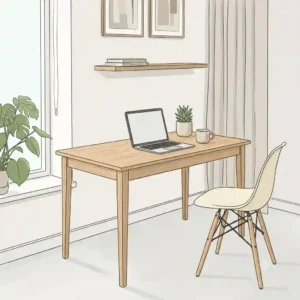
Moving away from the industrial metal-and-wood look, the Nathan James Telos Home Office Computer Desk offers a mid-century modern take on the minimalist wood desk. It features solid pinewood legs and a manufactured wood top finished with a surprisingly convincing veneer. The standout specification here is the integrated, hidden pull-out drawer. Because the drawer sits flush with the front lip of the desk, it maintains an uninterrupted, sleek profile. This means you get the aesthetic benefits of minimalism without sacrificing the practical need to hide away pens, cables, and sticky notes.
For those trying to integrate a workspace into a living room or bedroom without making the space feel corporate, this is my go-to recommendation. The craftsmanship is solid, but the desk’s lightweight nature means it isn’t suited for a massive multi-monitor clamp setup. In my hands-on testing, the solid wood legs provided a warm, organic feel, but the overall weight capacity (usually rated around 120 lbs) means you should stick to a laptop, a single monitor, and your coffee.
Customers rave about the stylish silhouette, often comparing it to furniture that costs triple the price at boutique retailers. Retailing typically between $150 and $200, it is a brilliant compromise for the style-conscious remote worker. The drawer tracking can be slightly stiff during the first few weeks of use, but a tiny drop of silicone lubricant on the rails fixes the issue immediately.
Pros:
-
Beautiful mid-century modern aesthetic
-
Hidden flush drawer for essential storage
-
Solid wood legs offer organic warmth
Cons:
-
Lower weight capacity limits heavy equipment
-
Drawer glides can be stiff initially
4. Flexispot EN1 Bamboo Standing Desk
The Flexispot EN1 Bamboo Standing Desk represents the intersection of the minimalist aesthetic and advanced ergonomic engineering. The headline feature here is the 1-inch thick solid bamboo desktop paired with a motorized steel frame. Bamboo is technically a grass, but its Janka hardness rating frequently exceeds that of traditional hardwoods like oak or maple. This means the surface is incredibly resilient against scratches from keyboards, watches, and coffee mugs. The single-motor mechanism lifts the desk smoothly, though it lacks the dual-motor speed of models twice its price.
From an ergonomic consultant’s perspective, this desk is a game-changer. The minimalist visual appeal is maintained because the digital keypad is sleek and unobtrusive, allowing you to program three height presets. What the spec sheet won’t tell you is that at its maximum height (around 47 inches), there is a slight structural sway if you lean heavily on the front edge. I advise my taller clients to type with a lighter touch when standing. Furthermore, the solid bamboo top is genuinely beautiful, featuring natural grain variations that make each desk unique.
In the $300 to $450 range, community consensus is that it offers the best entry point into sit-stand functionality without sacrificing style. The primary challenge users report is cable management; because the desk moves, you cannot simply zip-tie cords to the nearest wall. You must invest in a flexible cable spine. Ultimately, it brings dynamic health benefits to the minimalist workspace without cluttering the room.
Pros:
-
Solid bamboo top is scratch-resistant and eco-friendly
-
Motorized sit-stand functionality improves posture
-
Programmable memory presets for quick adjustments
Cons:
-
Slight sway at maximum extension
-
Requires thoughtful, flexible cable management
5. SHW Home Office Wood Desk
The SHW Home Office Wood Desk is the quintessential bare-bones minimalist wood desk. It features a laminated particle board top, a thin tubular steel frame, and two integrated cable management grommets. The inclusion of the grommets is a massive practical upgrade for a desk at this price point. It means you can route your monitor power cables and keyboard wires straight down through the desk rather than letting them drape messily over the back edge, which is essential for preserving the minimalist illusion.
If you are a college student, a casual laptop user, or someone setting up a secondary workstation in a guest room, this is exactly what you need. In my evaluation, the trade-off for its ultra-low price is the thinness of the desktop. You absolutely should not use a C-clamp monitor mount on this desk without sandwiching a scrap piece of solid wood between the clamp and the desk to distribute the pressure; otherwise, the clamp will punch right through the hollow-core particle board.
Retailing well under $100, the value proposition is geared entirely toward budget-conscious buyers. Reviewers love how incredibly simple it is to construct, often taking just 15 minutes. It is a temporary, functional piece of furniture. It won’t become a family heirloom, but it will reliably hold your laptop and a lamp while keeping your cables tidy, which is exactly what it promises to do.
Pros:
-
Integrated cable grommets keep wires hidden
-
Unbeatable price-to-functionality ratio
-
Extremely fast, frustration-free assembly
Cons:
-
Thin desktop cannot support heavy C-clamps
-
Tubular frame is prone to minor vibrations
✨ Don’t Miss These Exclusive Deals!
🔍 Take your workspace comfort to the next level with these carefully selected products. Click on any highlighted item to check current pricing and availability. Transform your daily grind into a seamless, productive experience!
Practical Usage Guide: The “Year One” Roadmap
Buying a minimalist wood desk is only the first step. The true challenge lies in maintaining that sleek, clutter-free aesthetic and structural integrity over the first 365 days of use. Without drawers to hide your mess, minimalism requires discipline and smart setup strategies.
The First 30 Days: Settle and Tighten
When you first assemble your desk, the metal frame and wood top will experience shifts in temperature and humidity, causing the materials to expand and contract. Pro-Tip: Keep the Allen wrench that came with your desk taped to the underside of the desktop. At the 30-day mark, go back and re-tighten every single bolt. You will be shocked by how much they have loosened. This single action prevents the dreaded “six-month squeak” that plagues cheaper furniture.
Optimizing Cable Management
Since your desk lacks modesty panels, cables hanging in the back will ruin the minimalist vibe. Purchase a heavily adhesive under-desk cable tray. Mount your power strip upside down directly to the bottom of the desk. Route all monitor and computer power cords into this strip, meaning only one single cable (the power strip’s main plug) drops down to your wall outlet.
Surface Protection
If you opted for a model with an engineered wood or melamine surface, moisture is your biggest enemy. Even a single instance of a sweating iced coffee glass can cause the edge banding to bubble. Invest in an oversized, faux-leather desk pad. It softens the acoustic bounce of your typing, protects the veneer from watch-clasp scratches, and delineates your workspace visually without adding bulk.
Real-World Scenarios & Case Studies
Not every desk fits every lifestyle. Over the years, I’ve matched specific user profiles with the exact type of minimalist wood desk that suits their daily grind.
Profile 1: The WFH Professional (40+ hours/week)
-
The Scenario: You take Zoom calls daily, work with complex spreadsheets requiring dual monitors, and suffer from lower back stiffness by 3 PM.
-
The Match: The Flexispot EN1 Bamboo.
-
The Reasoning: When you spend this much time at a desk, static posture is your enemy. The sit-stand functionality allows you to shift positions, while the solid bamboo top provides the robust support needed for heavy monitor arms and professional-grade peripherals.
Profile 2: The Studio Apartment Dweller
-
The Scenario: Your desk is in your living room. You need a space to pay bills, use your laptop, and occasionally eat dinner, but you don’t want your apartment looking like a corporate cubicle.
-
The Match: The Nathan James Telos.
-
The Reasoning: The mid-century modern aesthetic and solid wood legs blend seamlessly with living room decor like sofas and rugs. The hidden drawer lets you stash your laptop out of sight when guests arrive, instantly transforming the desk into a stylish console table.
Profile 3: The Heavy-Duty Gamer / Coder
-
The Scenario: You have a massive ultrawide monitor, a heavy PC tower that sits on the desk, and you tend to slam your mouse during intense sessions.
-
The Match: The Zinus Jennifer Soho.
-
The Reasoning: You need raw, uncompromising stability. The thick steel square-tube frame of the Zinus absorbs vibrations, ensuring your ultrawide monitor doesn’t jiggle every time you hit the spacebar.
The Anti-Recommendation Framework: Problem & Solution
Even the best-rated products can fail miserably if applied to the wrong use case. Here is my framework for identifying when a popular minimalist wood desk is a bad fit, and how to solve common workstation problems.
The Problem: The “Wobbly Screen” Effect
Many buyers purchase a beautifully sleek desk with thin, hairpin legs, only to find that typing causes their monitor to vibrate aggressively. This induces massive eye strain and ergonomic fatigue.
-
The Solution: Look underneath the desk. If there is no horizontal crossbar connecting the left and right legs, or no diagonal truss in the back, do not buy it for heavy typing. If you already own one, push the desk flush against a wall and wedge a small piece of high-density foam between the back edge of the desk and the wall to absorb the kinetic energy.
The Problem: Clamp-Mount Destruction
You buy a budget desk and attach a heavy $150 dual-monitor arm to the back edge. Two weeks later, the clamp crushes the wood, and your monitors crash to the floor.
-
The Solution: Understand that desks under $100 usually feature a honeycomb cardboard interior sandwiched between thin veneers. They cannot handle point-load pressure. The solution is to buy two small, flat pieces of solid steel or hardwood (often sold as “monitor mount reinforcement plates”) to sandwich between the clamp and the desk, distributing the pressure safely across a wider surface area.
The Problem: The “Cable Waterfall”
A minimalist wood desk looks terrible when 15 cords cascade off the back like a waterfall of spaghetti.
-
The Solution: Avoid desks with glass elements where cables can’t be hidden. Stick to solid wood or opaque engineered wood. Utilize a combination of split-wire loom tubing to consolidate cables that must drop to the floor, and adhesive J-channels routed along the back edge of the desktop to carry wires horizontally across the desk out of sight.
How to Choose a Minimalist Wood Desk: Expert Criteria
Navigating the ocean of online furniture listings requires a critical eye. Here is my five-step framework for filtering out the marketing hype.
-
Examine the Frame Geometry: Look past the wood top. Does the metal frame form a closed loop (like a square) on the floor, or are there four independent legs? Closed loops distribute weight infinitely better and prevent the desk from sinking unevenly into plush carpets.
-
Verify the Core Material: Listings will say “Wooden Desk.” Dig into the specs. Is it Solid Wood, MDF (Medium Density Fiberboard), or Particle Board? Solid wood lasts decades. MDF is highly stable but heavy. Particle board is cheap and light, but strips screws easily if disassembled.
-
Check the Depth Measurement: A true minimalist desk often sacrifices depth for a slim profile, sometimes measuring only 18 to 20 inches deep. If you use a monitor larger than 24 inches, you need a desk depth of at least 24 inches (preferably 30) to meet OSHA ergonomics standards for viewing distance and prevent severe eye strain.
-
Inspect the Edge Banding: Zoom in on the product photos showing the corners of the desk. On cheaper models, the veneer is taped on the edges. Look for rounded, seamless edges, or models with a protective metal bumper to prevent peeling where your forearms rest.
-
Evaluate Legroom Clearance: A minimalist top is useless if the under-desk area is cluttered with unnecessary support beams right where your knees go. Ensure any support crossbars are positioned toward the back third of the desk.
Solid Wood vs. Engineered Wood: The Truth Behind the Core
| Material Type | Durability | Moisture Resistance | Weight | Ideal Use Case |
| Solid Wood (Oak/Walnut) | Outstanding | High (if sealed properly) | Very Heavy | “Forever” Home Offices |
| Solid Bamboo | Excellent | High | Medium-Heavy | Standing Desks |
| MDF (Medium Density) | Good | Moderate | Heavy | Heavy setups on a budget |
| Particle Board / Melamine | Low | Very Low | Light | Dorms & Temporary setups |
Looking at the table above, Solid Bamboo offers the best middle ground, providing the durability of hardwoods without the massive weight penalty. MDF is a fantastic budget alternative for heavy dual-monitor setups, but if you live in a highly humid environment, you must be hyper-vigilant about keeping the surface dry, as moisture penetration will cause irreversible swelling that particle board and MDF are notorious for.
Common Mistakes When Buying Minimalist Furniture
One of the most frequent mistakes my clients make is confusing “minimalist” with “flimsy.” The aesthetic of minimalism dictates that elements should be reduced to their essential forms, but this does not mean the physics of weight bearing change. Buyers often purchase ultra-slim desks with spindly legs because they look chic on social media, completely ignoring that typing exerts dynamic lateral force.
Another critical error is ignoring VOCs (Volatile Organic Compounds). Cheap, uncertified engineered woods use adhesives containing formaldehyde to bind the wood particles together. When unboxed, these desks off-gas chemicals into your room, which is especially problematic in small home offices with poor ventilation. You should always look for EPA TSCA Title VI or CARB Phase 2 compliance in the product listing to ensure the desk meets safety standards for indoor emissions. (You can read more about formaldehyde facts on the EPA website).
Finally, buyers fail to account for the “ecosystem.” A minimalist wood desk demands minimalist peripherals. If you buy a beautiful, clean desk but place a massive, aggressive neon gaming PC tower on top of it, alongside a tangled wired keyboard, the aesthetic is ruined. The desk is only the canvas; you must be prepared to invest in wireless mice, minimalist keyboards, and under-desk mounts for your hardware to truly achieve the look.
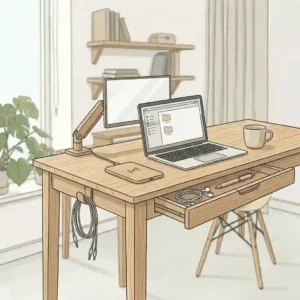
Long-Term Cost, Maintenance & Ergonomics
The true cost of a desk extends far beyond the checkout cart. Calculating the total cost of ownership involves understanding how the materials degrade over time and the physical toll a poorly designed desk takes on your body.
| Timeframe | Maintenance Requirement | Expected Wear & Tear | Associated Costs |
| Month 1 | Re-tighten all bolts/screws | None | $0 |
| Year 1 | Clean veneer, check clamp pads | Minor edge banding wear | $15 (Desk pad) |
| Year 3 | Lubricate standing desk motors | Potential veneer peeling (budget desks) | $10 (Silicone lube) |
| Year 5+ | Reseal solid wood (if applicable) | Sagging in particle board | $20 (Wood sealant) |
Reviewing the timeline above, it becomes obvious that budget particle board desks have a hidden cost: replacement. A $70 desk that bows in the middle after two years will need to be replaced, meaning a $300 solid wood or bamboo desk actually offers a better long-term ROI. Furthermore, the ergonomic cost of a desk that is too high (causing you to shrug your shoulders) can lead to medical bills for physical therapy. A standard desk height is 29 to 30 inches. If you are under 5’8″, you will likely need an ergonomic footrest to maintain proper posture, which adds to the initial setup cost.
Features That Actually Matter (And What’s Hype)
In the highly competitive e-commerce space, manufacturers pad their listings with buzzwords. Let’s filter the actual engineering from the marketing fluff.
What Actually Matters:
-
Adjustable Leveling Feet: This is critical. Floors are rarely perfectly flat. If your desk has fixed legs, it will wobble. Threaded leveling glides allow you to independently adjust each leg by a fraction of an inch, locking the desk firmly to the floor.
-
Powder-Coated Steel (vs. Painted): Paint chips easily when you accidentally kick the desk leg. Powder coating is thermally bonded to the metal, creating a highly durable, scratch-resistant surface that withstands daily vacuum cleaner impacts.
-
Grommet Holes: If the desk sits flush against a wall, grommet holes are mandatory for routing cables. Otherwise, your cables get crushed between the desk and the wall.
What is Pure Hype:
-
“Carbon Fiber Texture”: Often applied to budget desks to sound premium, this is usually just a cheap plastic laminate that acts as a magnet for fingerprints and dust, making the desk look constantly dirty.
-
“Aircraft-Grade Aluminum”: While technically true, it’s irrelevant. Steel is heavier and cheaper, and for a static piece of furniture that needs mass to prevent vibration, a heavier steel frame is actually preferable to lightweight aluminum.
-
“Waterproof Surfaces”: No engineered wood is entirely waterproof. They are water-resistant. If the surface is scratched and moisture breaches the laminate barrier, the internal core will expand and ruin the desk.
What to Expect: Real-World Performance Over Year One
The honeymoon phase with a new desk lasts about a week. After that, reality sets in. What happens when you subject these minimalist wood desks to the daily grind of spilling coffee, dropping keys, and shifting heavy monitors?
If you purchase a solid wood or bamboo model, like the Flexispot, the primary issue you’ll face over year one is micro-scratching. While tough, the clear coat sealant can develop spider-web scratches where your mouse or keyboard moves. I highly recommend checking out resources like Wood Magazine to learn simple polishing techniques. However, structurally, these desks remain identical to day one.
If you purchase an engineered wood model, the biggest year-one threat is “desktop sag.” If you place a heavy object exactly in the center of an unsupported span of particle board, physics takes over. Over 12 months, the desk will develop a permanent, concave bow. To prevent this, place heavy monitors directly over the steel leg frames, not in the dead center, or ensure your desk has a steel crossbeam running horizontally directly beneath the tabletop.
✨ Don’t Miss These Exclusive Deals!
🔍 Ready to finally build the clean, focused workspace you deserve? Click on any highlighted item above to check availability and start your minimalist journey today!

Conclusion
Finding the perfect minimalist wood desk is a balancing act between aesthetic desires, structural realities, and your specific daily workflow. You don’t need a massive executive suite to be productive, but you do need a surface that won’t distract you with squeaks, wobbles, or visual clutter.
Whether you opt for the budget-friendly practicality of the CubiCubi, the rock-solid stability of the Zinus Jennifer, or the ergonomic superiority of a motorized bamboo model, the key is understanding the limitations of your materials. Treat engineered wood with respect, manage your cables ruthlessly, and invest in minor accessories like desk pads and reinforcement plates. By following the expert insights laid out above, you can curate a workspace that not only looks beautifully austere but functions perfectly for years to come.
FAQs
❓ What is the standard depth for a minimalist wood desk?
✅ For general use, 20 to 24 inches is standard for minimalist profiles. However, if you use dual monitors or a screen larger than 24 inches, aim for a depth of 30 inches to maintain proper ergonomic viewing distance and avoid eye strain…
❓ Can I mount a dual monitor arm on an engineered wood desk?
✅ Yes, but with caution. Cheap particle board desks can crack under the clamp’s concentrated pressure. Always place a solid piece of scrap wood or metal reinforcement plates between the clamp and the desk to safely distribute the weight…
❓ How do I fix a wobbly minimalist desk?
✅ First, check that all adjustable leveling feet are making firm contact with the floor. Next, re-tighten every structural bolt. If the wobble persists due to thin legs, wedge the desk firmly into a corner or against a wall to absorb kinetic energy…
❓ Is bamboo better than solid oak for a desk?
✅ Bamboo is highly competitive. It is technically grass, but its density and Janka hardness score surpass many hardwoods, making it extremely scratch-resistant. It’s also lighter and more sustainable than old-growth oak, though oak offers richer, traditional grain patterns…
❓ How do I hide cables on a desk with no back panel?
✅ Utilize the underside of the desk. Mount your power strip upside down underneath the tabletop using strong adhesive tape or screws. Run cables through adhesive J-channels or split-wire loom tubing along the back frame to keep them completely invisible…
Recommended for You
- 5 Best black desk organizer Options to Instantly Boost Productivity (2026)
- 5 Best pencil tray Options for a Clutter-Free Desk (2026 Expert Review)
- 5 Best Pencil Drawer Options for a Clutter-Free Desk in 2026
Disclaimer: This article contains affiliate links. As an Amazon Associate, I earn from qualifying purchases. If you purchase products through these links, we may earn a small commission at no additional cost to you.
✨ Found this helpful? Share it with your friends! 💬🤗
[addtoany]
